
Award Show Timer: Manage Acceptance Speeches and Segments
An award show timer keeps acceptance speeches and ceremony segments to their planned length at galas and awards nights. Winners see a short countdown on a downstage monitor, the music director gets a visible cue for play-off music, and the producer sends silent notes to presenters between categories.
What is an award show timer?
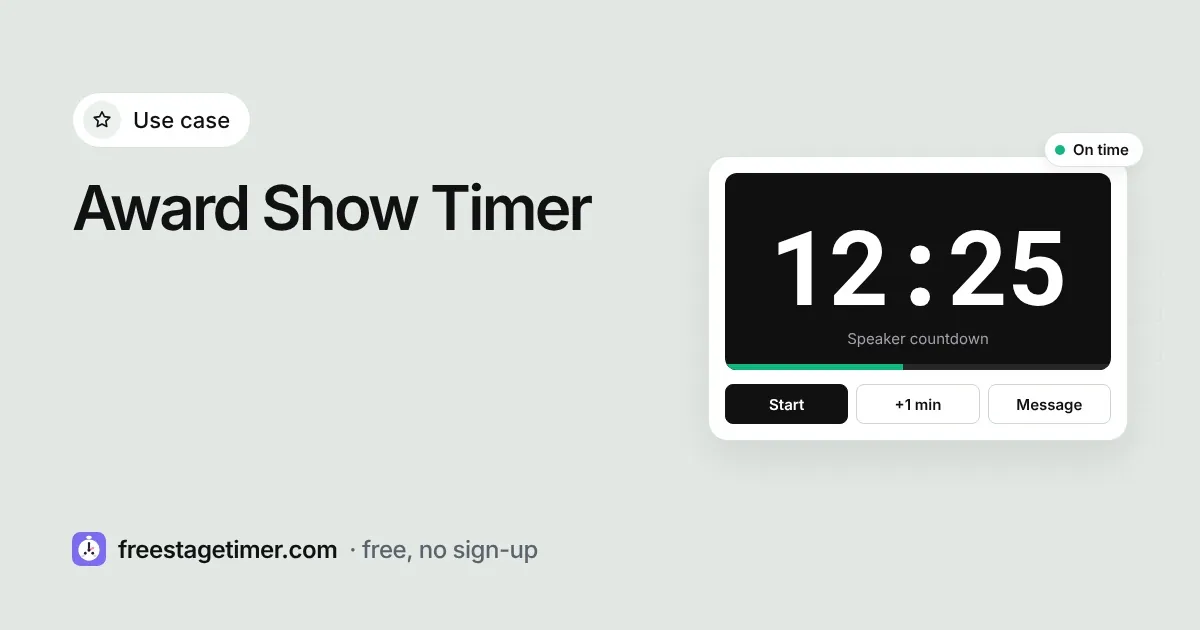
An award show timer is a short, visible countdown for each acceptance speech plus a segment clock for the whole ceremony. Winners read it on a downstage monitor. The producer, the music director and the stage manager read the same clock backstage. Everyone knows when a speech must end.
Award show timing centres on one attribute: acceptance speeches. Acceptance speeches are unrehearsed, emotional and given by people who did not expect to speak. A clear countdown gives them a fair limit without embarrassment.
Award show running order
Acceptance speeches link to the next category, so the band can play winners off at zero. Total planned time: 29:00.
| # | Item | Length | Starts at | Yellow / red | Start · mode |
|---|---|---|---|---|---|
| 1 | Host opening Host | 7:00 | +0:00 | 1:00 / 0:15 | Manual · Countdown |
| 2 | Best newcomer – nominees video Presenter | 2:30 | +7:00 | 0:30 / 0:10 | Manual · Countdown |
| 3 | Best newcomer – acceptance Winner | 1:30 | +9:30 | 0:30 / 0:10 | Linked · Countdown |
| 4 | Entertainment act Performer | 10:00 | +11:00 | 2:00 / 0:30 | Manual · Countdown |
| 5 | Best production – nominees video Presenter | 2:30 | +21:00 | 0:30 / 0:10 | Manual · Countdown |
| 6 | Best production – acceptance Winner | 1:30 | +23:30 | 0:30 / 0:10 | Linked · Countdown |
| 7 | Host close Host | 4:00 | +25:00 | 1:00 / 0:15 | Manual · Countdown |
Opens a real room with this rundown, these messages and secret controller and viewer links. Edit anything afterwards.
Video guide: how to set up and run this room
A 52-second guide to the Award show running order template in Free Stage Timer: creating the room, the 7-timer rundown, one-tap stage messages, sharing the viewer and running it live.
How do play-off cues work with a timer?
Play-off cues work by giving the music director the same countdown the winner sees. When the timer reaches zero, the music director starts a gentle play-off track and fades it up until the winner leaves.
Productions use three escalating cues: the red warning, the zero flash and play-off music. The red warning at 15 seconds tells the winner to say thank you. The flash at zero is the last silent signal. Music follows only if the winner keeps going. The timer itself does not play audio; it gives the music director a shared, exact reference. Teams with QLab can fire the play-off cue from a Stream Deck through Companion, as described in stage timers with QLab.
How do you time a ceremony's segments?
A ceremony's segments are timed as a rundown of host links, category presentations, speeches and entertainment. A 2-hour gala with 12 categories becomes about 40 timed items.
| Segment | Typical length | Timer mode | Main reader |
|---|---|---|---|
| Host opening | 5–8 minutes | Countdown | Host |
| Category intro and nominees video | 2–3 minutes | Countdown | Presenter |
| Winner walk-up | 30–45 seconds | Count-up | Stage manager |
| Acceptance speech | 30 seconds–2 minutes | Countdown | Winner |
| Entertainment act | 5–15 minutes | Countdown | Performer and producer |
| Dinner service break | 20–40 minutes | Countdown | Crew |
A count-up for the walk-up tells the producer how long winners take to reach the stage. That number feeds the back-timing view, which shows whether the ceremony will finish before the venue's curfew or the after-party.
How do you send messages to award presenters?
Messages reach award presenters as large text over the timer on their monitor. The producer types the message on the controller, and it appears instantly on stage.
Award shows use 4 common presenter messages, such as "Read the shortlist only", "Winner is coming from the back", "Mic issue – use handheld" and "Stretch 30 seconds". Each message is silent to the audience. A flash makes an urgent message impossible to miss.
How do you set up an award show timer?
Setting up an award show timer takes 6 steps in the days before the ceremony.
- Import the ceremony running order as a CSV with categories and durations.
- Set acceptance speech timers to the agreed limit, such as 1:00.
- Lower the thresholds for speeches to yellow at 30 seconds and red at 15 seconds.
- Open the viewer on the downstage monitor and in the music director's booth.
- Turn on the zero chime and tap the booth viewer once to unlock its audio; the stage monitor stays silent unless someone taps it.
- Brief every nominee about the speech limit and the play-off rule.
What else should you know about award show timers?
Award show timers connect to panels, pitch events and production roles. The sections below cover those topics.
Award show timer vs panel timer
Award ceremonies often include a panel or fireside chat. The timer for panel discussions covers balancing speaking time between several people.
Awards at pitch competitions
Pitch competitions end with an awards moment for the winning teams. The pitch competition timer covers strict founder slots before the awards.
The crew behind the ceremony
Galas need a show caller, a stage manager and a music director working from one timeline. The show crew and run of show guide explains those roles, and timer use cases across events list related setups.
Frequently asked questions
How long should an acceptance speech be?
Acceptance speeches at corporate and industry awards usually run 30 seconds to 2 minutes. The producer sets the limit and tells nominees before the ceremony.
How do I cue play-off music with a timer?
The music director watches the same countdown on a booth screen and starts the play-off when it reaches zero. A chime at zero can give an audible cue in the booth.
Can the timer trigger play-off music automatically?
Not directly, because the timer does not play audio files. Through Companion and the API, a cue in QLab can fire when the producer presses a button, but the music system plays the track.
Do winners need to see the timer?
Yes, a winner who sees 15 seconds left closes gracefully. A winner without a timer gets surprised by play-off music, which feels harsh to the room.